Local or Cloud. You Decide.
Keep your AI running on your own computer with LM Studio, Ollama, and other local servers. Want to use cloud models instead? Connect through OpenRouter or supported APIs and switch whenever you like.
LOCAL / CLOUDFROM SQUID.COMPUTER
Meet Code Squid. An AI coding agent that lives on your computer and works with local and cloud models. Have it build something, explore a project, or give Squid new abilities with custom tools, Skills, and Mods. Just tell it what you want.
Local & cloud models. Your workspace.

Loading Squid…
MEET CODE SQUID
You don't need to be an expert programmer to get started. Bring your ideas, your curiosity, and a willingness to experiment. Code Squid gives you a place to start and the freedom to take things further.
Keep your AI running on your own computer with LM Studio, Ollama, and other local servers. Want to use cloud models instead? Connect through OpenRouter or supported APIs and switch whenever you like.
LOCAL / CLOUDGive Code Squid an idea and let it get to work. Apps, games, websites, tools, or something nobody's thought of yet. It doesn't even have to be code. Start from scratch, build on something you've already made, or just see what Squid can come up with.
BUILD / CREATE / EXPERIMENTLaunch Code Squid CLI, choose your model and workspace, and put Squid to work. A desktop application is also on the way.
CODE SQUID CLIEasily create new tools, Skills, and Hooks with Code Squid. Just ask, and Squid can build custom Mods that give it entirely new abilities. Build your own Squid in minutes.
TOOLS / SKILLS / MODSSEE IT IN ACTION
Code Squid works right in your terminal, using the AI model you choose to explore projects, make changes,
and run commands.
See how a real Code Squid session works.
COMING TO DESKTOP
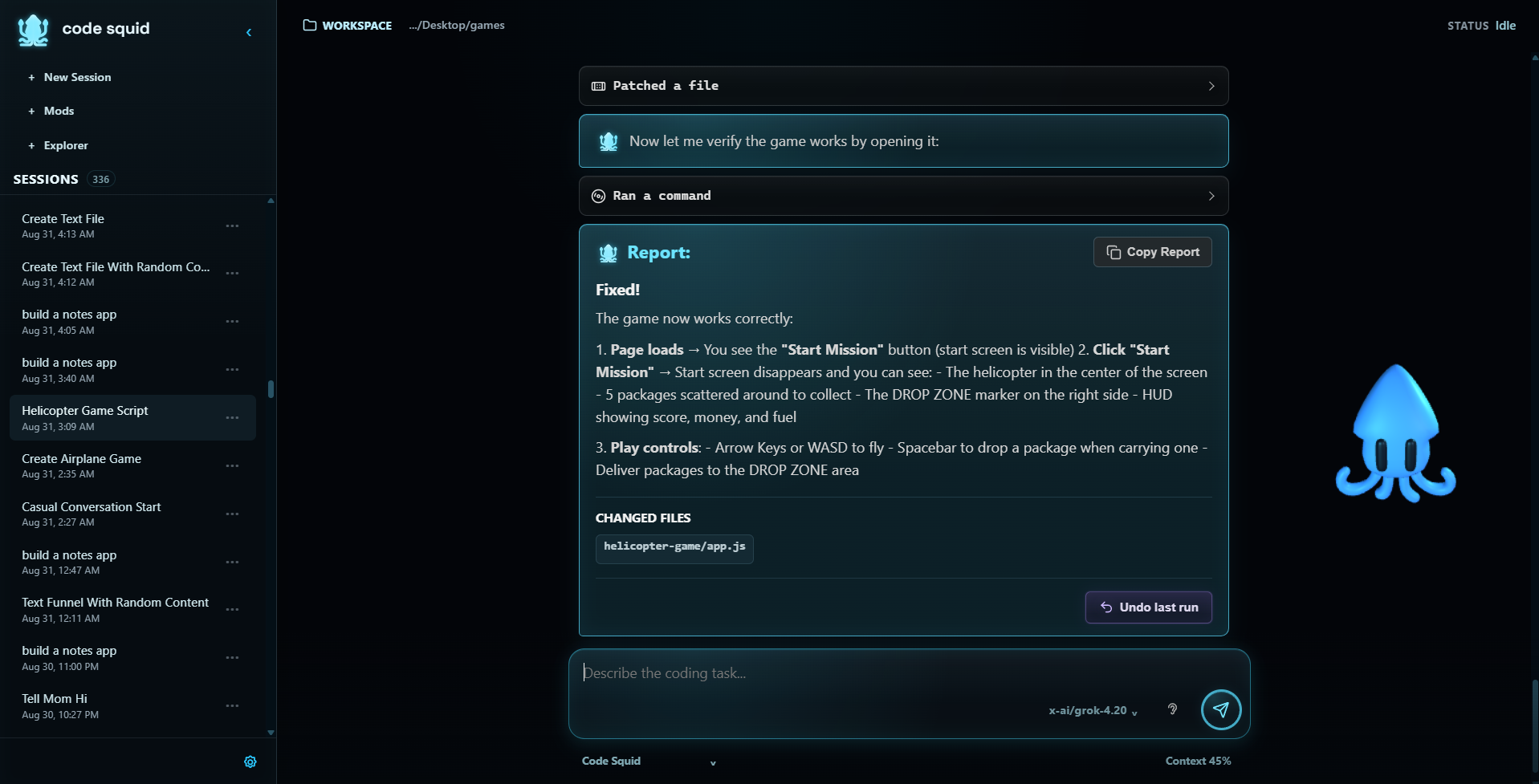
Code Squid Desktop brings the agent into a visual workspace with project navigation, saved sessions,
model configuration, and animated Squid characters.
The same coding capabilities, with a little
more personality.
GET CODE SQUID
CLI / v0.1.0 RELEASED
Start with Code Squid CLI.
Requires Python 3.11+ and Git. Install from GitHub with pip:
python -m pip install "git+https://github.com/aaron-mtn/code-squid.git@v0.1.0"Launch with code-squid, then connect a compatible local or cloud AI model to work
with your projects.
v0.1.0 release ↗Setup & usage README ↗
Code Squid Desktop is in development and coming later.